Use the following steps to access ACES Case Scan Report from FACS. Only upload ACES to OnBase at Application, Certification Renewal, or Mid-Certification Renewal.
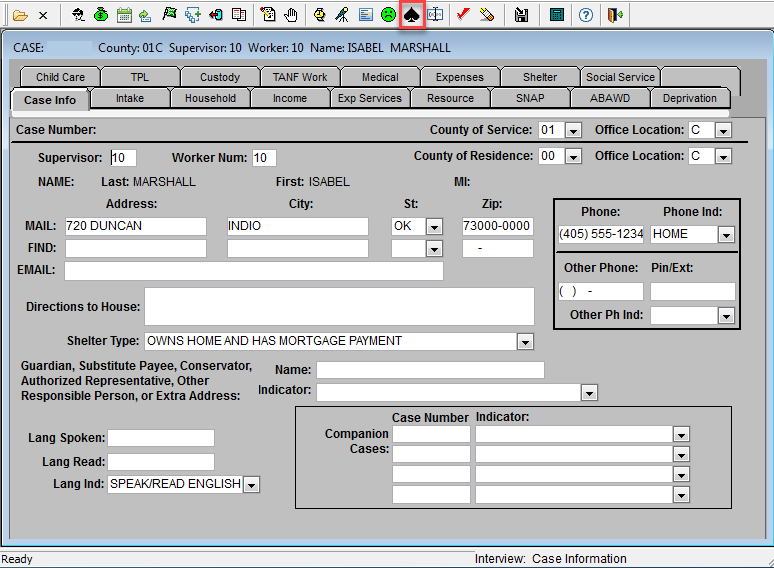
- Open the FACS program and enter case number to open case.
- Click the Generate Case Scan Report icon, which is the spade, located on the FACS tool bar.
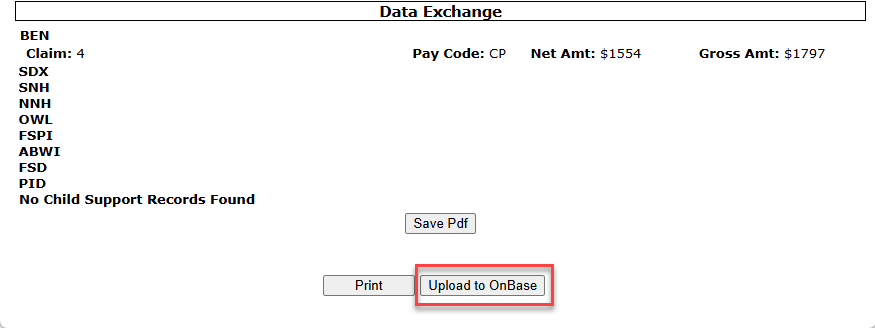
- Scroll down to the end of the report and click the Upload to OnBase button to upload ACES case scan report to OnBase.
Was this article helpful?
0
Thanks for your feedback!
Please complete the Comments or Suggestions form below
Comments or Suggestions?
We want Quest to be your source for important information that you need to succeed at in your work but we need your help:
Was this article helpful? Was it missing something you needed to get the job done?
Tell us what you think, what you know about this article. What are we doing well, and what we could do better.
All fields are required.