How to place a Personal Care Authorization in application status
NOTE: Remember that Harmony puts the Personal Care authorization in application status automatically. These instructions are for situations in which a Personal Care authorization would need to be put on manually.
- Check to determine if the Personal Care Authorization is already in application status.
Type “EKL Case Number” in IMS. (For example, EKL H000123) and Press Enter.
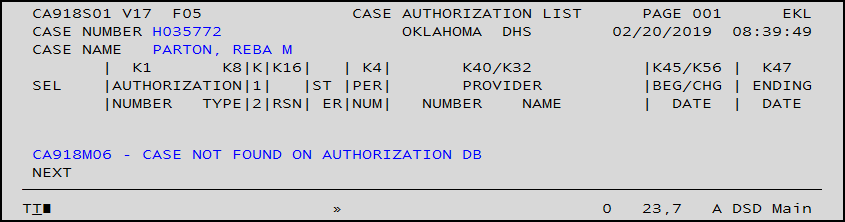
- If the authorization is not in application status, go to a blank IMS screen. Type AUL Case Number NEW and press Enter.

- This will pull up the authorization update screen (AUL). You will use the AUL screen for the Personal Care authorization.
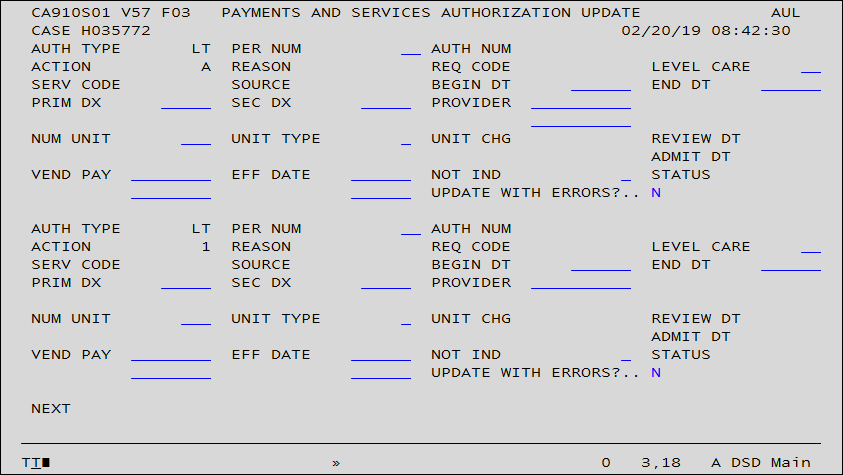
- You must enter the Person Number, Level Care, and begin date to place the Personal Care Authorization in Application status.
- Person Number – 02, in this example
- Level of Care – AP [Agency Provider]
- Begin / Change Date – Enter the application date.
- All Other Blocks – Leave Blank
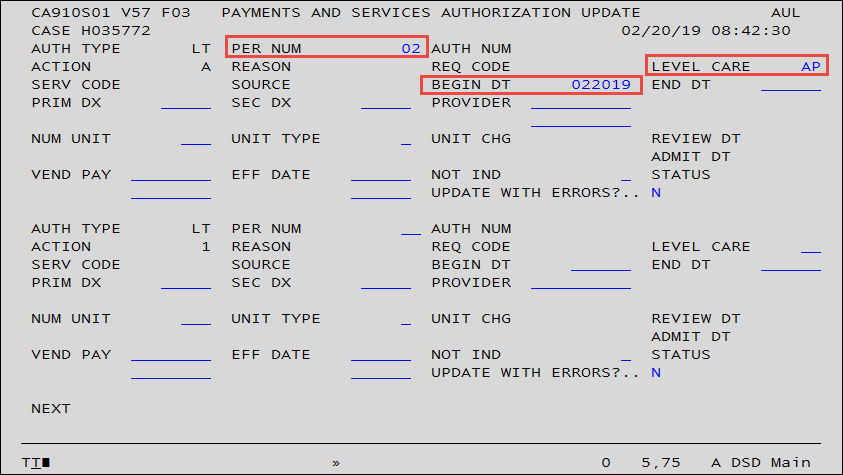
- Press “Enter” to put the Personal Care authorization in application status.
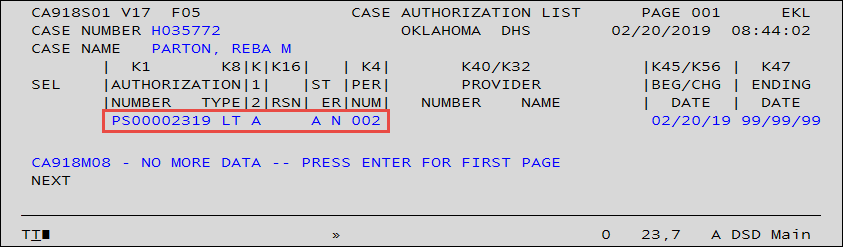
There is now an authorization number and authorization shows “open”

- Check the “EKL” screen. The authorization is there in application status for Personal Care
Was this article helpful?
0
Thanks for your feedback!
Please complete the Comments or Suggestions form below
Comments or Suggestions?
We want Quest to be your source for important information that you need to succeed at in your work but we need your help:
Was this article helpful? Was it missing something you needed to get the job done?
Tell us what you think, what you know about this article. What are we doing well, and what we could do better.
All fields are required.