The unfinished issuance certification process allows different amounts of income to be used from month – to – month to determine the copayment. This process must be used so that an incorrect copayment does not lock in for the next 12 months.
The following example is where a new applicant hasn’t received a full check and once income is considered; it is over the State Income Threshold. Approval is for two months and a closure in the 3rd month.
**VERY IMPORTANT**
Do not enter the authorization until Section E is coded with Effective Months (E6) = 99
Example:
Mary Darling comes in to the county office to apply for child care for her daughter Wendy on October 8. Mary just began a new job and will receive her first partial check on October 22 and her first full pay check on November 6. Mary’s anticipated monthly income is $4450 per month.
Mary’s anticipated income is over the eligibility guidelines for a family of 2 (Appendix C-4, $4,336/month); however, she is eligible for child care until she is receiving her full income. The worker must use the unfinished issuance process to approve Mary’s child care for the first 2 months and then close the child care effective November 30 due to earnings
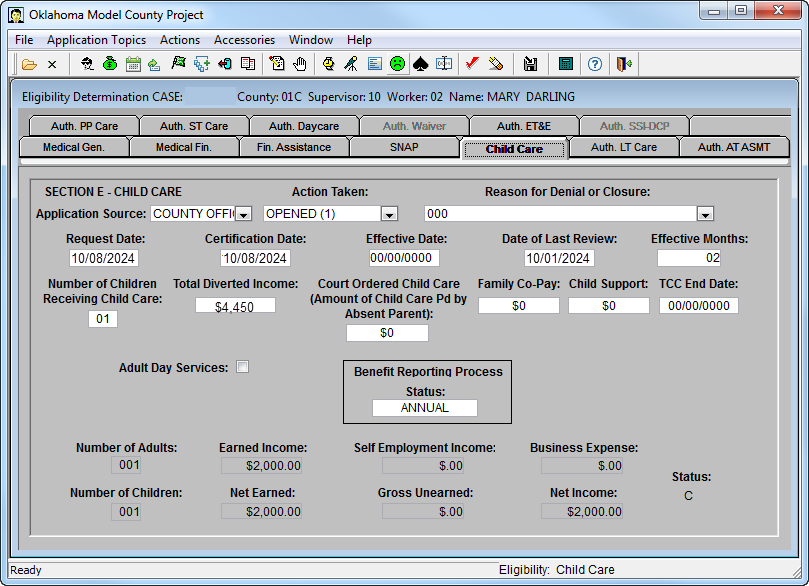
Certify the Child Care Tab (Section E) with “Eff Months” (E6) equal to “02” (the number of months that the income entered should be diverted because Mary will not receive her first full check until after the 1stof November). In this example, October and November are certified with a $0 copayment by coding $4450 in the “total diverted” (E47) field.
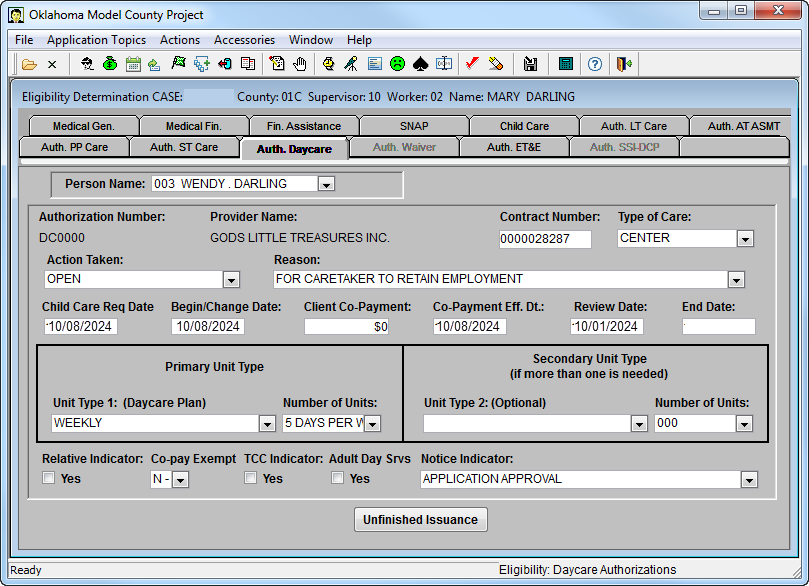
- Enter the child care authorization on the “Auth Daycare” tab with the appropriate begin date. FACS will enter the copayment effective date
- **SAVE THE CASE and PUSH CASE completely through**
- “Refresh the Case”
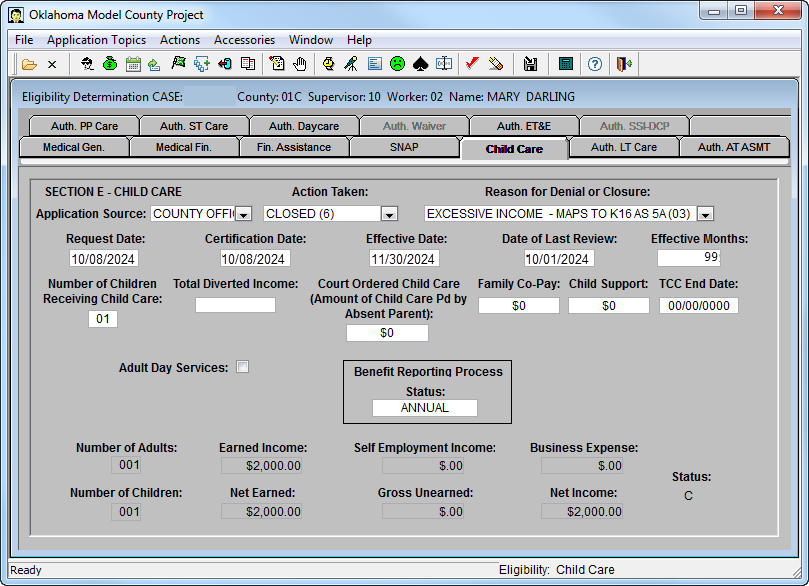
- Code a close action on the Child Care Tab for reason “income exceeds standard (03)” using effective date (E5) of 11/30 and delete the $3600 income that is coded in the “total diverted” (E47) field. (**Failure to use the unfinished issuance process will result in the inability to close the case due to income exceeding state standard. **)
- Update field E6 to display 99 on closure action.
- **SAVE THE CASE and PUSH CASE completely through**
If a message is received stating child care authorizations will be closed or section E (child care tab) needs to be open, click on “Continue Save.” Any other messages should be addressed.
If edit PSEKX254 CASE HAS UNFINISHED ISSUANCE DAY CARE is received, check for errors a second time using the green frowny face icon. The edit should clear after this. DO NOT SAVE THE CASE or you may receive additional edits.
Comments or Suggestions?
We want Quest to be your source for important information that you need to succeed at in your work but we need your help:
Was this article helpful? Was it missing something you needed to get the job done?
Tell us what you think, what you know about this article. What are we doing well, and what we could do better.
All fields are required.